

Andrej's quote about
Link to data section w/ Api’s and such.
Agile
How many languages can you write ‘hello world’ in?
[[2.2 Pythonese (easy)#write-a-function-to-print-hello-world-to-the-console-in-python|Write a function to print Hello world to the console in Python.]]
Everyone knows that you print ‘hello world’ to the console. But what actually is the console? What do we mean when we say ‘the console’?
The Console
- The console is the textual interface which allows users and programs to communicate.
- Humans speak English (or Chinese, or French, …) while computer programs speak machine code, so there must be some common medium through which we can converse (kind of like an API).
- The console comes in two common forms which you are probably familiar with:
- In Operating Systems: Command Prompt, PowerShell, or Terminal
- In [|IDEs]]: Like PyCharm or Visual Studio, there’s typically an integrated console.
Purpose of Printing to Console:
- Printing to the console is a basic form of output that’s useful for many things, like debugging (by displaying variable values or states of the program), providing status updates, or simple interaction with the user.
- It’s often used during development and testing to understand how a program is functioning.
Can you please centre a <div>?
What does ‘obsfucated’ mean
GET and POST
In web development, GET and POST are two common methods used to send requests to a server. The way parameters are written in these requests is different for each method:
-
GET Requests:
- Parameters in GET requests are appended to the URL.
- Each parameter is added to the URL with a ’?’ symbol followed by the parameter name and value, separated by an ’=’ sign.
- Multiple parameters are separated by the ’&’ symbol.
- Example URL with GET parameters:
http://example.com/page?param1=value1¶m2=value2
-
POST Requests:
- Parameters in POST requests are included in the body of the request, not in the URL.
- They are often sent as a part of an HTTP message body, using the same key-value pair format as GET parameters.
- The content type of the request (e.g.,
application/x-www-form-urlencodedormultipart/form-data) determines the format of these parameters. - Unlike GET requests, POST parameters are not visible in the URL and have no length restrictions, making them more secure and capable of handling large amounts of data.
The choice between GET and POST methods depends on the requirements of the application, particularly in terms of data size, security, and the idempotency of the request.
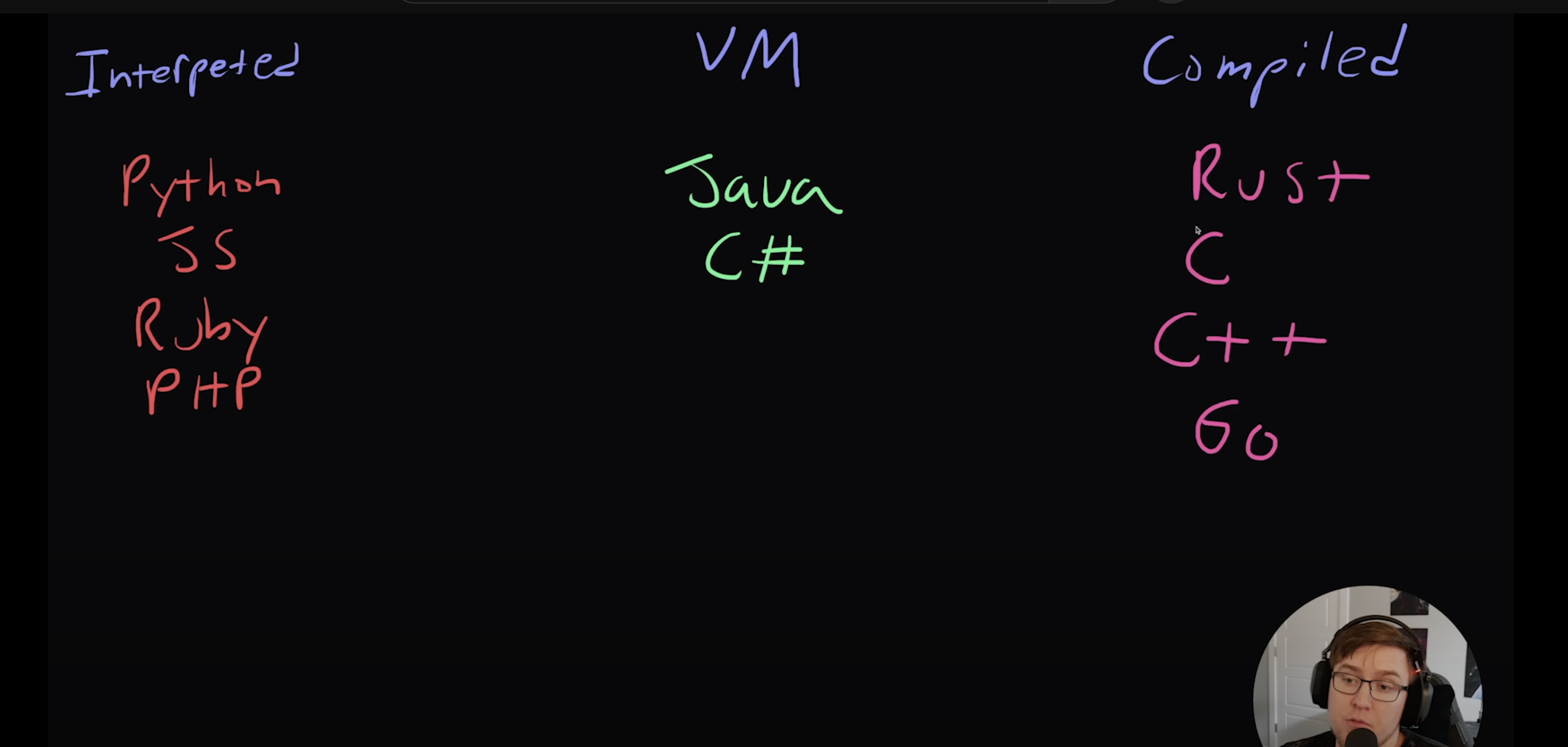
Compilation/Execution
main.go
Human readable format (code)
Computer itself only understands one language: binary, and add/subtract
Compilation: process of human readable code -> machine code (binary) that computer can understand
Compiling, makefiles
Certainly! Let’s break down these concepts one by one:
1. Compiling
- What is it? Compiling is the process of converting source code written in a programming language (like Go or C++) into machine code that your computer can run directly. This machine code is specific to the type of processor in your computer.
- Why do it? Computers only understand machine code, so compiling is necessary to turn the instructions you write in a human-readable language into something the computer can execute.
2. Makefile
- What is it? A Makefile is a file containing a set of directives used by a
makebuild automation tool. It defines how to compile and link a program. - Why use it? When you have multiple source files and need to compile them in a specific order with specific compiler options, a Makefile can automate this process. Instead of typing long compilation commands, you just type
make.
3. Executable
- What is it? An executable is a file that is capable of being executed or run as a program in the computer. After compiling your source code, the output is usually an executable file.
- How it works? When you run an executable, the computer’s operating system loads this file into memory and starts executing it.
Running Go/C++ on Your MacBook
-
For Go:
- Install Go: Download and install it from the official Go website.
- Write Go Code: Use a text editor to write your Go code in a
.gofile. - Compile: Open Terminal, navigate to your code directory, and run
go build yourfile.go. This will create an executable. - Run: Run the program by typing
./yourfilein the Terminal.
-
For C++:
- Install a C++ Compiler: macOS comes with Clang, an excellent C++ compiler. You can also install GCC through Homebrew.
- Write C++ Code: Use a text editor to write your C++ code in a
.cppfile. - Compile: Open Terminal, navigate to your code directory, and compile your C++ file using
clang++ -o yourfile yourfile.cpporg++ -o yourfile yourfile.cppto create an executable. - Run: Run your program by typing
./yourfilein the Terminal.
Remember, Go and C++ are different languages and have their own set of tools and compilation commands. Practicing with simple programs can help you get familiar with the compilation and execution process.
Does ./yourfile.exe mean ‘run this file’
No!
How come in python you can just run python yourfile.py
Running a Python script with the command python file.py involves a different mechanism compared to executing a compiled program directly, like in C++ or Go. Here’s why:
1. Interpreter vs. Executable:
- Python Files: Python is an interpreted language. When you run
python file.py, you’re actually running the Python interpreter (python) and passingfile.pyas an argument to it. The interpreter reads and executes the Python code infile.py. - Compiled Languages: In contrast, languages like C++ or Go are compiled into executables. Once compiled, they don’t need an external program to run them; they are standalone programs.
2. PATH Environment Variable:
- Python Interpreter in PATH: The
pythoncommand works from any directory because the Python interpreter’s location is added to the system’sPATHenvironment variable during installation. ThePATHvariable contains a list of directories where the system looks for executable files. So when you typepython, the system knows where to find the Python interpreter. - Local Executables: In contrast, your local directory (the
.) is not inPATHby default for security reasons. Thus, you need to use./executableNameto run a local executable.
3. Safety and Security:
- Global vs. Local Commands: It’s safer to require a local path (
./) for executables because it prevents accidental execution of potentially harmful programs. Global commands likepython,ls, orcdare standard tools installed in system directories and are considered safe.
Summary:
- Running
python file.pyinvokes the Python interpreter and tells it to execute the script infile.py. - Running a compiled executable like a C++ program requires specifying the path (
./) if it’s in the current directory, as the current directory is not in thePATHvariable for security reasons.
What exactly goes on behind the scenes when you write python shell
When you write python in the shell and hit enter, you’re essentially starting the Python interpreter in interactive mode. Here’s what happens behind the scenes:
1. Shell Processes the Command
- Command Interpretation: The shell (like Bash on macOS or Linux, and Command Prompt or PowerShell on Windows) interprets the command you’ve typed.
- Locating Python: The shell looks for an executable named
pythonin the directories listed in your system’sPATHenvironment variable. This variable contains a list of directories that the shell searches for executables.
2. Python Interpreter Starts
- Initialization: Once found, the
pythonexecutable starts. This is the Python interpreter. It initializes by setting up its environment, which includes reading configuration files and environment variables. - Interactive Mode: Since you didn’t specify a file to run, the interpreter starts in interactive mode. In this mode, it waits for Python commands from the user.
3. Read-Eval-Print Loop (REPL)
- Prompt Display: You see a prompt, usually
>>>, indicating that the interpreter is ready to receive Python commands. - REPL Cycle: The Python interpreter now enters a cycle known as the Read-Eval-Print Loop (REPL):
- Read: It reads the command you type.
- Evaluate: It evaluates the command, which means it interprets the Python code you entered.
- Print: It prints the result of the command to the console.
- Loop: It then loops back to Read, waiting for the next command.
4. Executing Commands
- Immediate Execution: Each command you enter is executed immediately. This is different from running a Python script file, where the entire file is executed as a whole.
- Dynamic Interaction: You can define variables, write functions, and execute them all interactively. The interpreter maintains a state, so variables and functions persist through the session.
5. Error Handling
- Immediate Feedback: If there’s an error in your command, Python immediately returns an error message. This immediate feedback is valuable for learning and debugging.
6. Exiting the Interpreter
- You can exit this mode by typing
exit()or using a keyboard shortcut likeCtrl+D.
Summary:
In interactive mode, the Python interpreter allows for dynamic and immediate execution of Python commands, making it a powerful tool for experimentation, debugging, and learning. The interpreter handles all aspects of execution, from parsing the code to executing it and managing the runtime environment.
“The reason, of course, is the ability of deep nets to build up a complex hierarchy of concepts. It’s a bit like the way conventional programming languages use modular design and ideas about abstraction to enable the creation of complex computer programs. Comparing a deep network to a shallow network is a bit like comparing a programming language with the ability to make function calls to a stripped down language with no ability to make such calls. Abstraction takes a different form in neural networks than it does in conventional programming, but it’s just as important.”